Home » Maintenance » Reset to factory settings » Reset to factory settings from the HMI
Prerequisite.
Make sure that your Clean Power VFD is running the latest software version.
Access the Reset function.
1- From the overall menu of the HMI, select "Configuration"
2- Select the " Reset factory default".
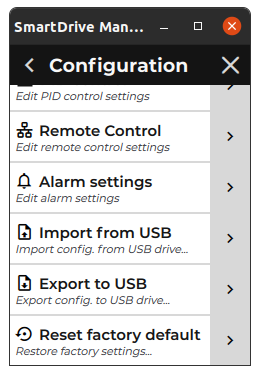
3- Then tap on the button " yes" to confirm the reset to factory default settings.
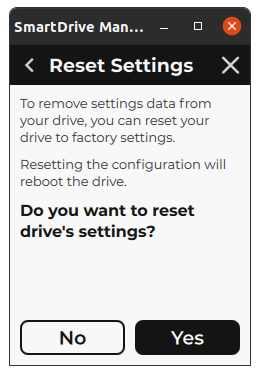
Result:
The reset function is running and the Clean Power VFD is rebooted when the operation is complete.