Home » Smart HMI » Quick setup wizard using the HMI
The Quick Setup Wizard allows users to configure the VFD with the minimum required parameters to operate the motor.
This setup streamlines the process by focusing on essential settings, making it ideal for rapid deployment.
With the Quick Setup Wizard, you can get your motor running efficiently with minimal effort while maintaining flexibility for advanced configurations later.Below are the steps and details of the configuration process using the HMI.

|
|
Accessing the Quick Setup Wizard
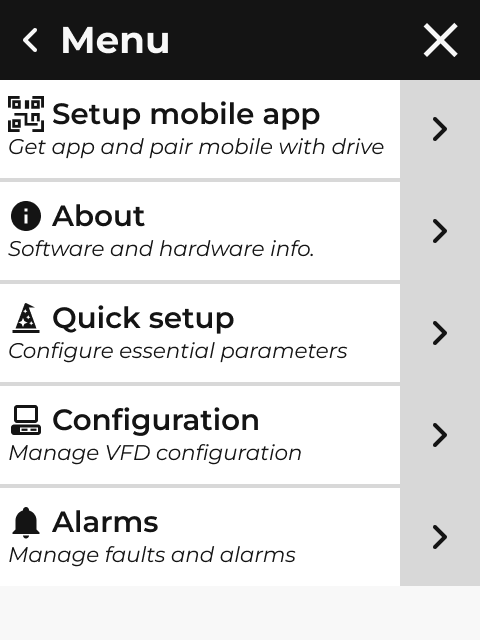
Open the HMI menu screen and click on Quick Setup. Please follow the on-screen prompts to begin the configuration process.
Parameters Displayed in Quick Setup Wizard
Line Parameters:
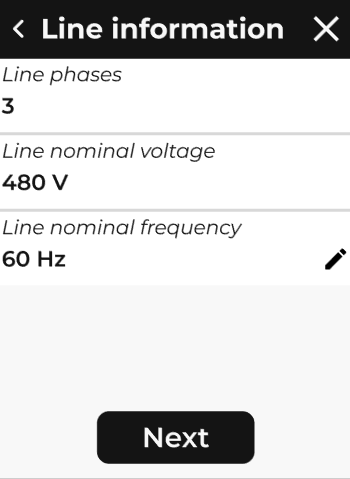
The HMI displays the following parameters for the electrical line:
-
Line Phases: This parameter displays the number of phases connected to the VFD. It is read-only and cannot be edited.
-
Nominal Voltage: Displays the nominal line voltage. This parameter is read-only and cannot be edited.
-
Nominal Frequency: This option allows the user to input the nominal line frequency (50 Hz or 60 Hz).
Motor Parameters (Nameplate):
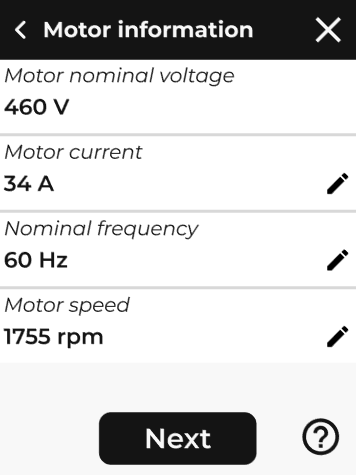
These parameters are derived from the motor’s nameplate. Please ensure the motor nameplate data is available before proceeding:
-
Nominal Voltage: Displays the motor's nominal voltage. This parameter is read-only.
-
Nominal Current: Allows the user to input the motor's nominal current.
-
Nominal Frequency: Allows the user to input the motor's nominal frequency.
-
Nominal Speed: Allows the user to input the motor's nominal speed.
Motor Control Parameters:
These parameters define how the motor will be controlled:
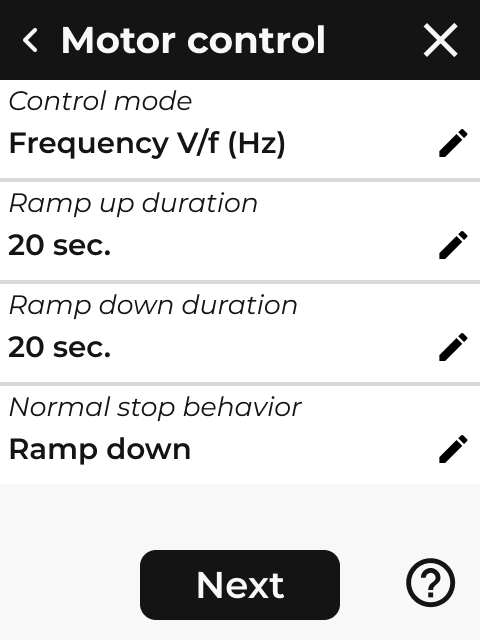
- Control Mode: Select the desired control mode (e.g., V/Hz, vector control).
- Ramp-Up for Single Linear Ramp: Set the acceleration time for the motor to reach its rated speed.
- Ramp-Down for Single Linear Ramp: Set the deceleration time for the motor to stop from its rated speed.
- Normal Stop Behavior: Choose the motor's default stopping behavior (e.g., freewheel, ramp-to-stop).
Remote Control Parameters:
These parameters define how the VFD will be remotely controlled:
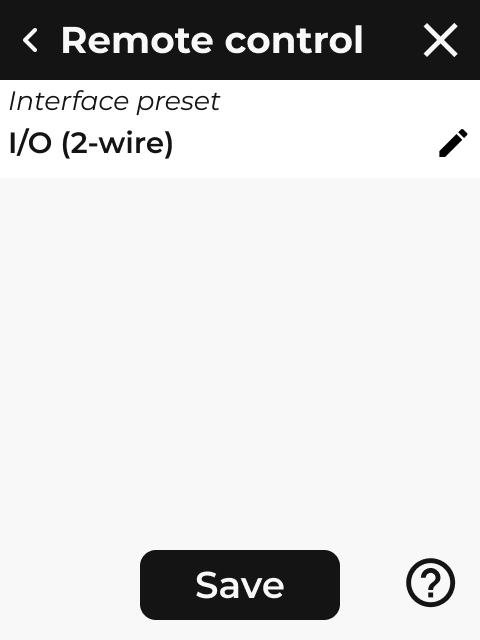
-
Remote source 1: Set the remote source 1: 2-wire I/O preset, 3-wire I/O preset, Modbus TCP or BACnet IP
-
Remote source 2: Set the remote source 2: Unconfigured (no 2nd source), 2-wire I/O preset, 3-wire I/O preset, Modbus TCP or BACnet IP
-
Source selector: Select which will be used to control the VFD (local, source 1, source 2)
Error Handling
If there are errors in the configuration, the HMI will display an error message indicating a configuration issue.
Note:
|
|
The HMI does not validate parameter dependencies during the Quick Setup process. Users must ensure all parameters are consistent with the VFD's operational requirements. |
Finalizing the Configuration
Confirm the configuration parameters after setting the remote control parameters by selecting "Save".
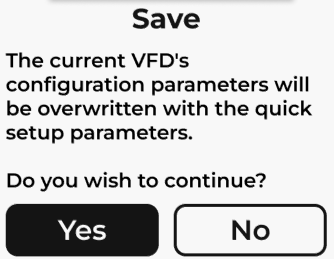
Please click on Yes to save and apply the new configuration.
Please note that the new VFD’s configuration parameters will overwrite the existing ones; however, system settings—such as date and time, network configuration, and language—will remain unchanged.
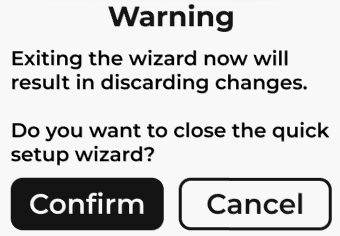
To cancel and exit the Quick Setup wizard, click on the X in the top-right corner, and click on Confirm to discard all changes.

|
Refer to the detailed configuration guide for advanced settings and troubleshooting. |