Home » Functions and parameters » Inputs and outputs » Analog inputs setting
The user can assign analog inputs. The options available are as follows:
- PTC sensor: Reading from the PTC sensor connected to the analog input used for motor over-temperature alarm.
- Set motor frequency: Send a variable value to the VFD control to define the motor frequency setpoint.
- Set motor velocity: Send a variable value to the VFD control to define the motor velocity setpoint.
- For motor torque control:
- Set motor torque: Send a variable value to the VFD control to define the motor torque setpoint.
- Set motor maximum torque: Send a variable value to the VFD control to define the maximum limit of the torque setpoint.
- Set motor minimum torque: Send a variable value to the VFD control to define the minimum limit of the torque setpoint.
- If the PID is enabled in the configuration:
- PID1 process feedback: Send the process value (PV) to the PID control.
- PID1 setpoint: send the setpoint value (SV) to the PID control.
- PID1 forced output value: Send a speed setpoint to the motor control when the PID forced output is activated and the source of the forced value is defined as an analog input.
- Unspecified
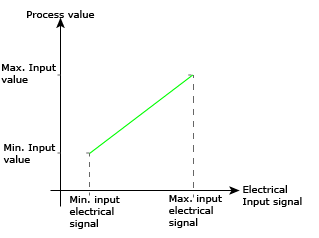
The user can also define the electrical signal connected to each analog input and scale it. The options available are as follows:
- 4 - 20 mA: The input signal is a current between 4 and 20 mA.
- 0 - 10 V: The input signal is a voltage between 0 and 10 V.
- Resistor: The input signal is a resistance from 500 to 10K Ohms.
Example:
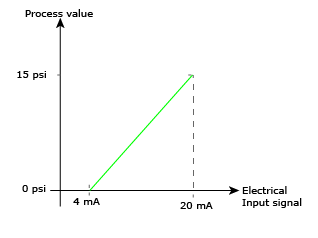
A pressure sensor is connected to one of the analog inputs. It is used as the process feedback of a PID loop
This sensor delivers a 4 to 20 mA signal proportional to the detected pressure.
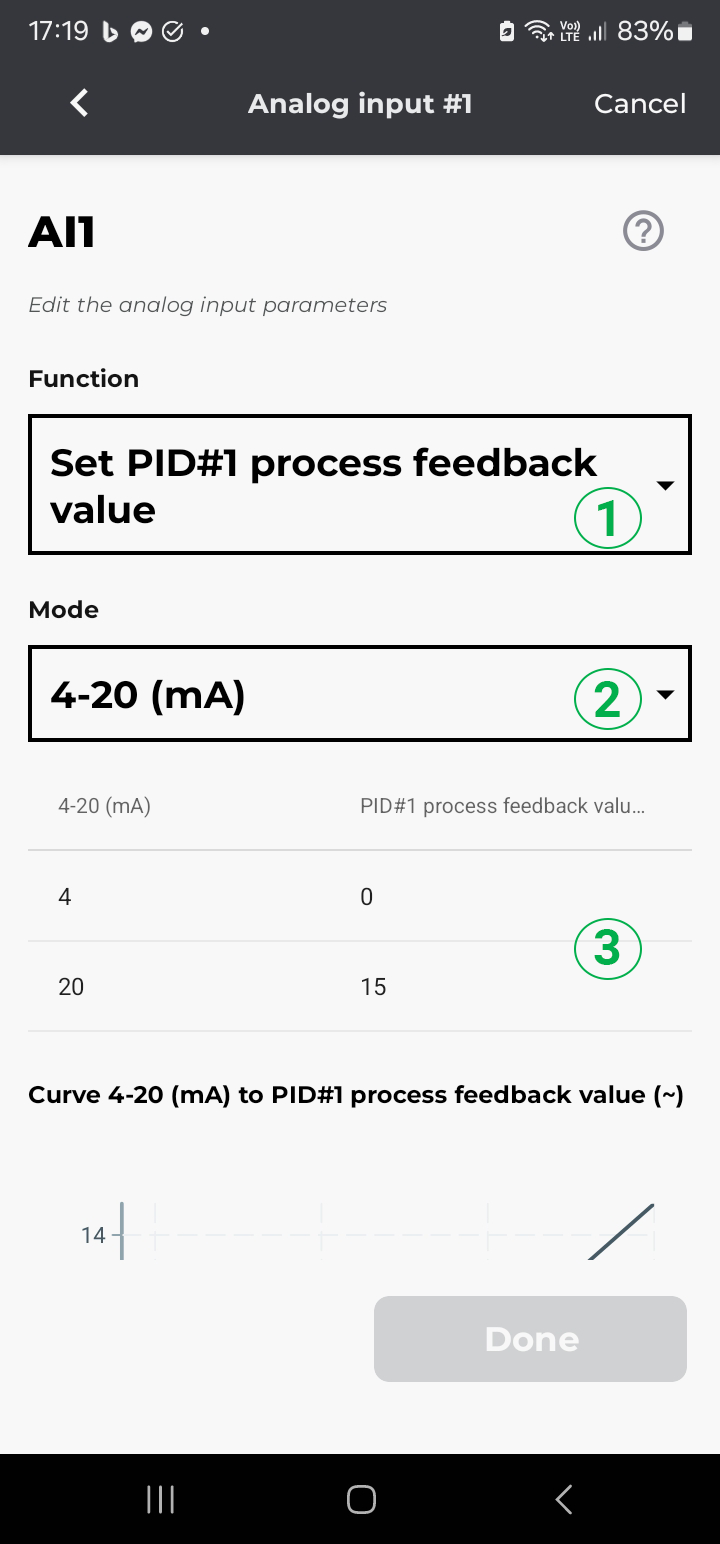
- Click on the I/O's configuration screen, click on the pen icon of the analog inputs to edit the configuration
- Then on the analog input, the sensor is wired to, i.e Ai1
- For the function, select Set PID#1 process feedback value (1)
- Mode: Select 4-20 mA (2)
- Then, on the scaling (3,) click on the values you need to edit and enter the number that fits the application.